Sales automation tools are software that handles the repetitive parts of the sales cycle, prospect sourcing, contact enrichment, multichannel sequencing, CRM sync, and reporting. In 2026 they split into four buckets, engagement platforms, CRM native workflow, all in one data plus execution suites, and AI operating systems that run the whole motion from one prompt.
Most guides answer this query with a flat list of fifteen products. That is why so many teams end up paying for four tools that overlap and none that compound. This field map sorts the ten sales automation tools that matter by job, publishes 2026 pricing verified on the vendor's own page where possible, names where each bucket breaks at scale, and describes the layer underneath. For the adjacent AI SDR view, the AI SDR tools field map covers the same lens for a narrower buyer.
What sales automation tools actually do in 2026
Sales automation tools started as sequencers. Cold email, LinkedIn touches, and a task queue. That definition still describes half the market. The other half now covers prospecting data, enrichment, dialers, conversation intelligence, CRM workflows, and AI agents that write and reply on their own. The category grew because the number of steps in a modern sales cycle grew, and because Google and Yahoo's February 2024 bulk sender rules quietly rewrote what automated outbound is even allowed to look like (Google's bulk sender guidelines).
The reason the category keeps expanding is that the underlying problem never got solved. McKinsey estimates that more than 30 percent of sales activities can be automated with current technology, cited across the industry including in ZoomInfo's 2026 field guide. A separate projection tracked by Highspot puts AI and automation on a path to handle around 60 percent of B2B sales tasks by 2028, up from 45 percent in 2023, per Highspot's 2026 sales automation report. The market keeps buying new tools because the labor bill keeps growing faster than any single product removes.
The honest test of whether a tool is doing real sales automation, rather than dressing up a spreadsheet, is three behaviors. It moves data between at least two systems without a human copy paste. It writes or times a touch based on context that changed, not a fixed cadence. And it lets the operator inspect the logic driving both. If the vendor cannot show you the underlying prompt or workflow, you cannot audit what is going out under your domain, and you cannot fix it fast when it drifts. That third property matters more now than it did two years ago, because the cost of a bad send is a throttled domain, not a lost reply.
The four buckets of sales automation tools
Every product in the category slots into one of four buckets, and treating them as one shopping list is why teams end up with overlapping subscriptions.
Engagement platforms
The oldest bucket. Cadence orchestration, task queues, reply detection, manager visibility. Outreach and Salesloft define the shape. The job they own is standardizing execution across a team of sellers. If the ten SDR conversations happening on any given Tuesday should feel like they come from the same company, an engagement platform is how you get there. Where it breaks is prospect data. None of them ship a database, so you still buy that separately. The best sales engagement platforms 2026 breakdown has the deeper category read.
CRM native workflow
The bucket that lives inside HubSpot and Salesforce. Deal automations, task creation, lifecycle stages, playbook routing. The job is keeping the system of record clean while removing a rep's admin load. Where it breaks is prospecting. A CRM does not source leads on its own. Teams that lean here still need a data layer and often a sequencer, so the seat cost stacks on top of the base CRM bill.
All in one data plus execution
Apollo is the pattern. Contact database, sequencer, dialer, and basic CRM sync in one seat. The job is bundling. For small and mid market teams the appeal is real, because paying one vendor for both the list and the send removes an entire integration. Where it breaks is control. When your data source and your sequencer are the same product, you have no independent way to check either, and the data quality complaints stack up fast at scale.
AI operating system layer
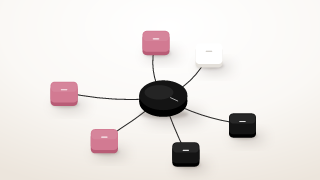
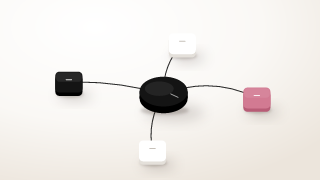
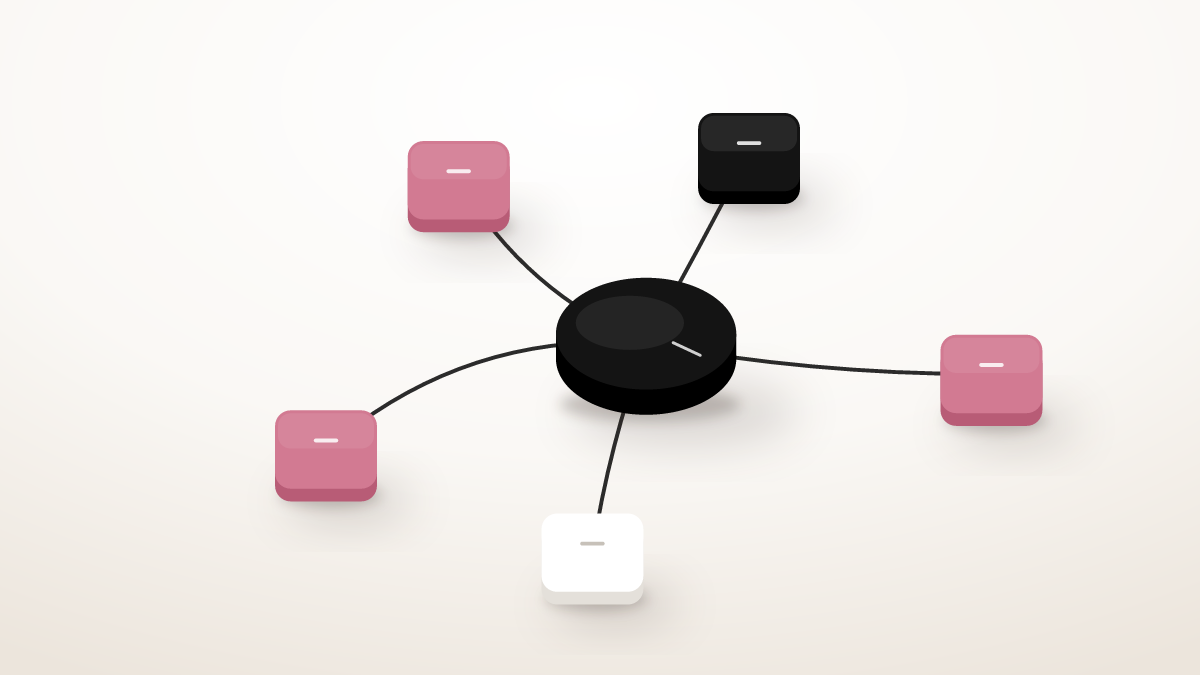
Newest bucket, still forming. Instead of shipping another UI, an operating system exposes an interface that composes the tools the team already runs, plus the AI reasoning that decides what to do next. Yalc, run from Claude Code on the operator's own machine, is the pattern this article closes on. Not because it replaces the other three. Because it is the layer underneath the ones that compound.
Ten sales automation tools mapped by job
Ten specific products, mapped by the bucket they occupy and the buyer they serve. Public pricing verified from each vendor's own pricing page in July 2026 where the page is accessible.
| Tool | Bucket | Public 2026 price | Best for | Where it breaks |
|---|---|---|---|---|
| Outreach | Engagement | Custom, quote only | Large SDR teams needing rep guardrails | Adopts slowly, no native data layer |
| Salesloft | Engagement | Custom, quote only | Teams that want coaching plus cadence in one seat | Same as Outreach, still needs a prospect database |
| Reply | Engagement | Public monthly plans | Lean teams that need multichannel without enterprise weight | Reporting depth shallower than the enterprise pair |
| HubSpot Sales Hub | CRM native | Free, then $90/seat/mo Pro annual, $150 Enterprise | Teams already living in HubSpot | Credits and onboarding fees hidden in total cost |
| Salesforce Sales Cloud | CRM native | Custom seat pricing, quote led | Salesforce shops with a RevOps function | Configuration overhead, needs an admin |
| Apollo | Data plus execution | Public plans, database plus sequencer bundled | SMB and mid market teams wanting one bill | Data quality is variable, hard to audit |
| Clay | Data plus execution | Free, then $167 Launch, $446 Growth | Ops leaders running one off enrichment plays | Per credit meter punishes daily reruns |
| Instantly | Cold email infra | Public monthly plans | Cold email volume with warm inboxes | Not a full engagement platform, no LinkedIn |
| Lemlist | Cold email plus LinkedIn | $55 Email, $87 Multichannel per month annual | Personalization heavy multichannel outbound | Reporting less deep than the enterprise pair |
| Yalc | Operating system | Custom, install first | Operators who want to own the logic, not rent it | Not a replacement for the data providers, it runs on top |
The table above is the fast read. What follows is what each one is actually for.
Outreach
Enterprise cadence orchestration. Guardrails for large seller teams. If regional consistency and manager inspection matter more than speed of iteration, Outreach is still the safest pick in the engagement bucket. Pricing is quote led, and every credible third party estimate puts it in four figures per seat per year. If your team is not sure the seat cost pays back, Outreach alternatives walks the trade offs. You still pair Outreach with a data provider and usually with a dialer.
Salesloft
Broader coverage in one platform. Cadences, conversation intelligence, and deal workflows in the same seat, which reduces the number of tools frontline managers need open. Same buyer as Outreach, slightly lighter on admin controls, easier for a growing team to adopt. Still not a substitute for a prospect database.
Reply
The lighter engagement platform. Cheaper seat, publicly listed plans. A good fit when the team wants multichannel outbound but does not want to spin up a full sales operations function. Reporting depth is where it trails the enterprise pair. For a five person outbound team it is often enough.
HubSpot Sales Hub
Everything the team touches already lives in HubSpot. Adding a separate engagement layer creates duplicate work. The Sales Hub Professional tier is $90 per seat per month billed annually, or $100 monthly, plus a one time $1,500 Professional onboarding fee, per HubSpot's pricing page. Enterprise is $150 per seat per month, plus a $3,500 onboarding fee. Each tier ships with a fixed HubSpot Credits budget, 500 on Starter, 3,000 on Professional, 5,000 on Enterprise, that meters the AI features. That credit budget is the line item most public comparisons miss. Underneath the platform, the HubSpot MCP is what lets an external orchestration layer read and write into HubSpot directly.
Salesforce Sales Cloud
The larger the deal, the more likely the answer is Salesforce. Not a fast setup. Configuration burns weeks and usually a specialist. What you buy is control and depth, a lever the finance team will not question. Small teams rarely justify the seat cost. Growing teams eventually inherit it whether they wanted to or not.
Apollo
Contact data plus sequencer plus dialer plus basic CRM sync, one price, one seat. That is the pitch and it is honest. The trade is quality. Fresh data and enriched context often cost extra credits, and the sequencer is fine rather than great. Teams that outgrow the bundle usually split it into a better data layer plus a better sender. The trade offs live in Apollo alternatives.
Clay
The dominant agent platform. A spreadsheet where each column can call a data provider or run a prompt, wired into a send. Live pricing is Free (500 actions, 100 credits per month), Launch at $167 per month (15,000 actions, 3,000 credits), Growth at $446 per month (40,000 actions, 6,000 credits), and Enterprise custom, per Clay's pricing page. The tool is powerful for one off enrichment plays. The trap is recurring plays. A workflow that reruns daily grinds through credits every morning, and the meter punishes the iteration that actually makes outbound work. Teams evaluating the trade look at Clay alternatives once the meter starts to hurt.
Instantly
Cold email infrastructure. Warmup, sending, sequences, unified inbox. This is the layer that matters if the team already knows what to send and just needs the inboxes to deliver. See Instantly for the setup. Instantly does not do LinkedIn. That is a feature, not a limitation, and it is why teams pair it with a LinkedIn layer.
Lemlist
Personalization heavy multichannel. Email plus LinkedIn plus image and video personalization, all in one seat, with public monthly pricing. The Email plan is $55 per month billed annually, and the Multichannel plan is $87 per month billed annually with LinkedIn automation included, per Lemlist's pricing page. Newer sending teams often start with Lemlist because the workflow is complete out of the box. Reporting is less deep than the enterprise pair, and volumes above roughly ten thousand sends a month start to feel the ceiling.
Yalc
The operating system. Yalc runs from Claude Code on the operator's machine, configured in markdown, talking to the data providers and messaging APIs the team already runs. It is not another vendor UI. Every prompt lives in a file the operator can read, version, and edit. Every workflow is code, not a hidden config. That property matters because it is the answer to the deliverability, audit, and drift risks the other three buckets do not solve. The pattern is to keep the tools that produce real data, Crustdata for firmographic and signal data, FullEnrich for waterfall enrichment, Unipile for LinkedIn, Instantly for cold email, and replace the glue between them with one orchestration layer.
The deliverability floor most sales automation guides skip
Every ranking article for this keyword lists tools and skips the rule that decides whether the send actually lands. Since February 2024, Google and Yahoo require any sender above 5,000 messages a day to authenticate with SPF, DKIM, and DMARC, offer one click unsubscribe, and hold a spam complaint rate under 0.3 percent, ideally below 0.1 percent. Cross the threshold and the domain gets throttled regardless of how good the tool's UI is.
That rewrites the buying decision. An engagement platform that lets a manager push volume through a shared domain without enforcing complaint rate ceilings is a liability. A CRM automation that fires the same three step nurture at every new lead ignores the same rule. An all in one that hides which mailboxes are warm is a black box. The tools that survive this era make the sending posture visible and let the operator tune it. That is the real answer to the "which sales automation tools work" question underneath every listicle, and it is why the cold email deliverability piece treats the sending layer as first class, not an afterthought.
The hidden cost of the ten tool stack
A team running the full recommended stack from any top ranking article is paying for roughly ten subscriptions. Data provider, sequencer, LinkedIn tool, dialer, scheduler, CRM, enrichment tool, signal feed, warmup tool, and reporting layer. That is the bill. The cost most incumbents omit is the glue underneath.
Every workflow that crosses two tools needs a mapping. Custom field aliasing, an API integration, a Zap, a spreadsheet, or a human. Every workflow that crosses four tools usually needs a dedicated ops person to keep the glue running. A subscription is $50 per seat per month. The person who maintains the wiring is $8,000 per month. That is the ratio no comparison table shows, and it is the reason a lean team ends up hiring an ops engineer six months before it planned to. Autonomy stories from the AI SDR side of the market do not solve this either, and TechCrunch's reporting on 11x, where former employees described 70 to 80 percent customer churn behind inflated ARR claims, is the clearest example of what happens when the glue is hidden inside a vendor's config (TechCrunch investigation).
The move that changes the ratio is not adding another tool. It is collapsing the glue layer into one system that reads and writes across the others directly. This is where the operating system bucket wins, and it is the argument the GTM stack piece makes at length.
How to choose your sales automation stack
The question most guides skip is "for whom." A ten seat SDR team at a Series B has different constraints than a two person founder led GTM at seed. Both bought sales automation tools. Only one of them uses them.
For a solo founder or a one to three person GTM team, run a data provider, cold email infrastructure, a LinkedIn layer, and Yalc as the orchestration layer. Skip the CRM native automation bucket. HubSpot's free tier is fine as a system of record. Adding the Sales Hub Professional seat before the volume justifies it burns money.
For a five to fifteen person GTM team with a dedicated operations person, add a real CRM commitment, HubSpot Professional if the team already lives in it, Salesforce if the finance team demands it. Add signal data through PredictLeads or a similar feed. Keep the sending layer split from the CRM. The ops person owns the middle mile.
For a fast growing team with a real outbound function, this is where an engagement platform starts to pay for itself, because rep guardrails and manager coaching are the workflow. Outreach or Salesloft on top of Salesforce, with cold email infrastructure for the volume outside the enterprise cadences. Trigger the sequences on real changes at the account, not on a static list. The signal based outbound playbook covers how those triggers get wired.
Across all three profiles the rule holds. Buy tools that produce real data and real sends. Stop buying tools whose only job is wiring other tools together.
What to do this week
Open a spreadsheet with three columns. Tool, monthly cost, job it owns. Fill it out. Most teams find at least one tool that does not own a job anyone remembers assigning it, and at least two whose jobs overlap. Cancel one.
Then open a second sheet with the workflow you actually want to run. Not the workflow your current tools support. The workflow you would design if the stack were a single system. Anything on that sheet that lives in the middle mile, sourcing, enrichment, sequencing, classification, logging, is a candidate for the operating system layer. Anything in the first mile, strategy and message angle, or the last mile, the call and the deal, stays human. The lead qualification skill is the gate that filters the middle mile before any send goes out.
Two weeks of running one honest workflow beats six months of shopping for a better tool. The team that wins sales automation tools in 2026 is the team that stops adding subscriptions and starts owning the logic between them.
Frequently asked questions
What is a sales automation tool?
A sales automation tool is software that handles the repetitive parts of the sales cycle, prospecting, enrichment, sequencing, task creation, and CRM updates, so the seller spends more time on conversations and less on admin. In 2026 the category splits into engagement platforms, CRM native workflow, all in one data plus execution, and operating system layers that run the whole motion from one interface.
What is the difference between sales automation tools and a CRM?
A CRM is the system of record for accounts, contacts, and deals. A sales automation tool is the layer that acts on that record, moving data in and out and triggering the touches that create pipeline. Some products bundle both, HubSpot Sales Hub and Salesforce Sales Cloud are the two big examples, but the underlying jobs are different and buying the CRM does not automatically buy the automation depth a team needs.
How much do sales automation tools cost?
Public pricing runs from free tiers to enterprise five figures. HubSpot Sales Hub Professional is $90 per seat per month annual plus a $1,500 onboarding fee. Clay is $185 per month at Launch and $495 at Growth, or $167 and $446 on annual billing. Outreach and Salesloft are quote led, typically in four figures per seat per year. The larger cost most buyers miss is the integration glue between tools, which often exceeds the subscription bill within the first year.
Is HubSpot a sales automation tool?
HubSpot Sales Hub is both a CRM and a sales automation tool. The CRM side stores accounts and deals. The automation side runs cadences, task creation, deal stage triggers, and playbook routing inside the same platform. That bundle is why teams already on HubSpot rarely add a second engagement layer, and why teams on Salesforce end up paying for a separate one.
Can AI sales automation replace human sales reps?
Not for most teams. The agent still needs a human to define the ideal customer profile, the message angle, and the objection handling, and it cannot own the discovery call or close the deal. The public 11x story is the reminder that autonomy in a demo often does not survive real production. The AI SDR is one bucket in the map, not the whole map, and the sharpest gains come from pairing it with a human on first mile and last mile work.
What is the best sales automation tool in 2026?
There is no single best tool. There is the bucket that matches your motion. Large SDR teams that need consistency pick an engagement platform. Teams that live in HubSpot or Salesforce extend the CRM native automation. Lean teams that value speed pick the all in one data plus execution bundle. Operators who want to own the logic pick the operating system layer.