Claude Code for sales is the practice of running outbound research, message drafting, and workflow orchestration through Anthropic's command line coding agent instead of a dedicated sales platform. Put simply, Claude Code for sales turns pipeline work into instructions you write in markdown, which the agent reads before it calls your data and messaging APIs and runs the work on your own machine. It is a runtime you configure, not a product with a fixed interface.
That definition does a lot of work, so the rest of this guide is the honest version. Where a coding agent genuinely beats your current stack, where it does not, what it costs, and how to get one sales workflow running today. The yalc point of view is that most of the outbound stack is glue you can now write yourself, and the parts worth paying for are narrower than vendors want you to believe.
How does Claude Code drive GTM efficiency
It collapses the tool count and the clicking. The efficiency comes from replacing the glue work between six to ten point tools with one instruction the agent runs end to end. Research that used to move between a data vendor, a spreadsheet, and a sequencer now happens in a single pass on your own machine. What Claude replaces is the manual wiring. Exporting a list, pasting it into an enrichment tool, copying rows into a sequencer, and updating the CRM by hand. That is the work that disappears, and that is why it is efficient. Fewer seats, fewer handoffs, and a workflow you version like code. Run enough of these plays together and you are operating an agentic GTM operating system, assembled from GTM AI agents rather than bought as a black box.
What is Claude Code and why would sales teams use it
Claude Code is Anthropic's agentic coding tool. It started in the terminal and now also runs in VS Code, JetBrains, a desktop app, and on the web. The agent can read and write files on your machine, run shell commands, and connect to external systems through the Model Context Protocol. None of that was designed for sales, which is exactly why operators noticed it.
The reason it crosses over is the unit of work. A sales platform ships a fixed interface for each task, so the vendor decides your fields, your steps, and how your copy gets applied. A coding agent reads a plain text file that describes what you want, then executes it. When the play changes, you edit the file instead of filing a feature request.
That crossover is what turns a salesperson into a Claude Code operator. You stop clicking through a vendor's fixed screens and start writing the instructions the agent runs, so the workflow bends to your play instead of the other way around.
What is a Claude Code operator?
A Claude Code operator is a salesperson or GTM engineer who runs their pipeline work by configuring and directing Claude Code, rather than clicking through a vendor's fixed screens. The operator writes the instructions the agent follows, decides which data and messaging providers it is allowed to call, and edits those instructions as the play changes. The title is about control. You own the workflow as text you can read and version, instead of renting a workflow someone else designed. Put plainly, the distinction is operator versus user. A plain user consumes what a tool hands them through its fixed screens, while an operator configures what the agent is allowed to do, which providers and files it can touch, and how each step runs.
In practice the operator sets up a skill and points it at the providers it can touch. A research operator might give a skill read access to the CRM and a data provider like Crustdata, then run one prompt that pulls the account, scores it against the ICP, and writes a brief back to the record. None of that requires writing code. It requires deciding what the agent should do and reviewing what it produced, which is the operator's real job.
This is more than a metaphor now that Anthropic has shipped a real format for it. On October 16, 2025 the company introduced Agent Skills, defined in its engineering writeup as "organized folders of instructions, scripts, and resources that agents can discover and load dynamically." On December 18, 2025 it released the format as an open standard so the same skill folder works across Claude products. A sales workflow you write becomes a portable artifact, not a setting trapped inside one tool. The broader operator framing behind this lives in our piece on what AI native GTM engineering actually means.
The decision rule
Here is the operator judgment a generalist will not commit to. Use a coding agent for the work that changes weekly and lives in text, which is most of research, drafting, and orchestration. Keep a purpose built tool only where it owns infrastructure you cannot rebuild, which is deliverability, dialing, and the system of record. If a vendor's pitch is an AI feature that maps to a five line prompt, you are renting a wrapper.
What sales tasks can Claude Code actually do well
Three workflows are worth the install on their own, and the ten claude code for gtm plays operators run from one prompt covers the full menu. Each maps to a question operators search for directly.
Research
Account and contact research is the strongest fit. The recurring question is always the same shape. Who works here, who funded them, who joined or left in the last 30 days, what does the product do, what signals are they sending. A bundled platform answers parts of that inside its own walls. For operators mapping which data providers to pair with the runtime, best prospecting tools for GTM teams covers the data layer options.
A coding agent answers it because it can pull from several providers inside one prompt and then write up the answer with sources attached. Hit Crustdata for firmographic and contact data, hit a hiring signal feed, fetch the company site, then synthesize. The output is a plain English brief you can read before a call, not a row of fields you have to interpret.
The angle incumbents skip is reproducibility. In a SaaS research tool the logic is buried in the vendor's UI. Here the logic is the prompt, and the prompt is a file. Any operator on the team can open it, see exactly what gets pulled and in what order, change one line, and rerun. That is what a skill is, a markdown file describing recurring work that improves every time you edit it.
Draft
The second workflow is drafting. Cold messages, follow ups, post call recaps, qualification briefs. Most AI sales tools draft from one or two fields on a record, which is why the output reads like a mail merge wearing a thesaurus. For the full picture of how agents handle outreach end to end, how AI agents do cold outreach is the companion piece.
A coding agent drafts from whatever you give it access to, including the research brief from the previous step, your prior threads with the account, and recent public activity. The draft sounds informed because it ran on real context. The work you keep is taste. You ask for a sharper angle, read the new version against the old one, and ship the better of the two. Editing turns into comparing.
One caution that belongs in any honest drafting section. A faster drafting loop does not change deliverability physics. Since the Google and Yahoo bulk sender rules took effect in February 2024, senders above 5,000 messages a day need SPF, DKIM, and DMARC, one click unsubscribe, and a spam complaint rate kept under 0.3 percent, ideally below 0.1 percent, per Google's published guidance. Better copy helps you stay under that line. It does not exempt you from it.
Orchestrate
The third workflow is orchestration, and this is where a runtime starts to replace a layer rather than a task. Most outbound teams sit on a graph workflow tool like n8n, Make, or Zapier, or on an agent canvas like Clay. Both work. Both also get hard to reason about once a flow crosses 30 or 40 nodes.
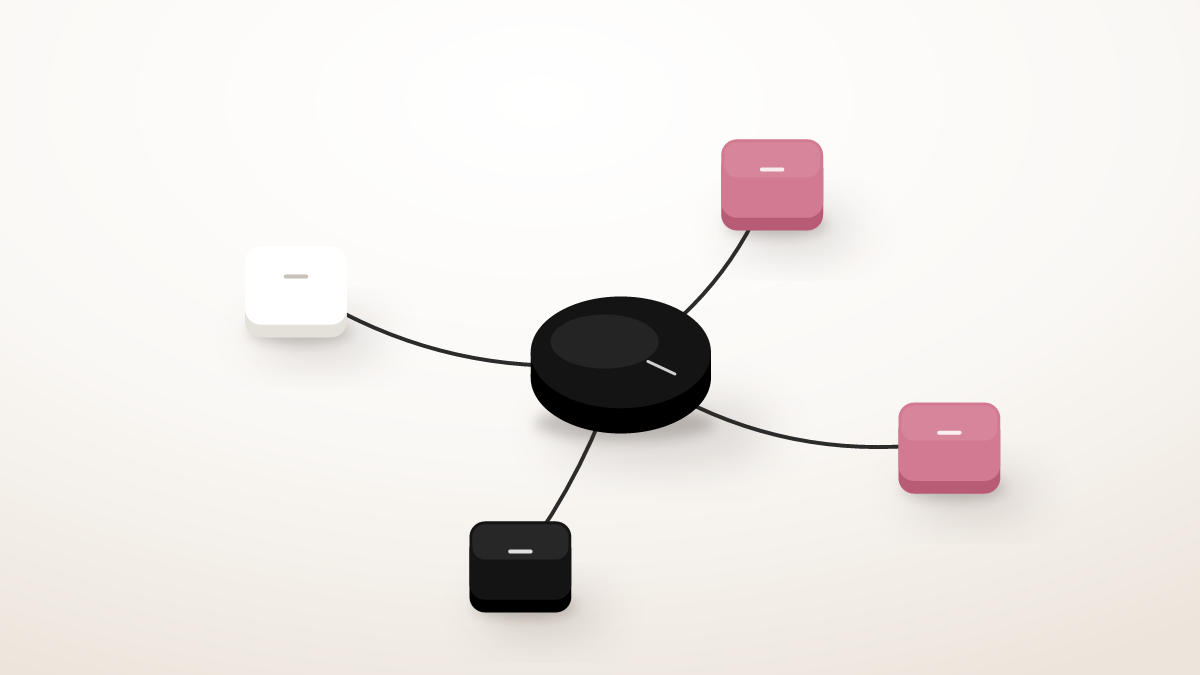
You describe the play in markdown, the agent decides which MCPs and tools to call and in what order, runs the steps, and reports back. There is no canvas to debug and no shared workspace where someone else's edit silently breaks your flow. The tradeoff is real and worth stating. A visual graph is easier for a non technical teammate to glance at, and it gives you a diagram for free. A text runtime trades that legibility for version control and direct API access. Our AI SDR tools field map walks through why each automation category tends to break at scale, and the best AI SDR tools according to Reddit shows why operators stay skeptical of the black-box replacements. For the direct question itself, do AI SDRs actually work lays out where they help and where they fail.
How much does Claude Code cost for a sales team
Claude Code is not a separate purchase. Anthropic bundles it into its subscription tiers, so the cost question is really which plan covers the usage you will generate. As listed on Anthropic's pricing page, the tiers are:
| Plan | Price | Claude Code included | Best for |
|---|---|---|---|
| Pro | $20 per month ($17 annual) | Yes | One operator testing the workflows |
| Max 5x | From $100 per month | Yes | A heavy single user running daily cycles |
| Max 20x | From $200 per month | Yes | The highest individual usage tier |
| Team Standard | $25 per seat per month ($20 annual) | Yes | A small GTM team |
| Team Premium | $125 per seat per month ($100 annual) | Yes | A team needing higher per seat usage |
The non obvious part is that the subscription price is not your real spend. Your data providers are. Claude Code orchestrates calls to Crustdata, an email platform, a LinkedIn API, and a CRM, and those usage based bills dwarf the agent subscription for any team running real volume. Budget the runtime as the cheap line item and the data as the expensive one. That is the same conclusion the B2B lead generation operator playbook reaches for the wider stack, which is to buy the data and build the runtime around it.
What does Claude Code replace, and what should you keep
Once the research, draft, and orchestrate workflows are running, several line items stop earning their seat. Several others should stay exactly where they are.
Candidates to cut
Sequencing logic inside engagement platforms. The send order and branching an orchestration prompt can express, with the bonus that the same prompt pulls signals and rewrites copy in line. Many teams running a signal triggered play keep the dialer and drop the rest of the platform.
CRM workflow automation. The database is fine. Using it as a workflow engine is expensive admin time. A staging rule that takes a built flow and a custom field can be a few lines in a skill. If you are still formalizing those stages, start from proven sales pipeline stages rather than inventing the flow from scratch. Keep the system of record, move the automation to the runtime. SDR teams adopting the runtime often start with the role-specific patterns in Claude Code for SDRs, which walks the setup step by step.
Generic workflow tools used only as glue. n8n, Make, Zapier, and Tray exist to wire your tools together. A coding agent does the wiring through direct API calls. The exception is durable webhook handling and retries, where a dedicated automation tool still earns its place.
Per seat AI features that wrap a prompt. If the feature is a short instruction you could write yourself, you are paying for packaging.
What stays
The tools that own infrastructure or data you cannot recreate. Crustdata supplies firmographic and contact data. A cold email platform owns sending reputation and the deliverability stack the February 2024 rules now demand. A LinkedIn access provider like Unipile owns the connection. A CRM is the system of record. Clay still wins for one off enrichment and large experimental sourcing pulls, where its UI beats writing a skill from scratch. The runtime replaces the glue and most of the per seat AI layer, not the providers underneath.
How do you set up Claude Code for sales
You can get one real sales workflow running in under an hour. The path is short because most of the work is configuration, not coding.
1. Install and authenticate
Install the Claude Code CLI and sign in with a plan that includes it, which is any Pro, Max, or Team tier above. Confirm it launches from a terminal in any directory.
2. Start from a skeleton, not a blank file
Every team that adopts a coding agent ends up writing the same handful of files, a contact research skill, a reply classifier, a signal triggered outbound step, a follow up writer. Rather than rebuild those, start from an existing operator layer such as yalc, which ships the skills, MCP config, and scheduled agents pre wired. You keep ownership because every playbook is a markdown file you can read and edit.
3. Connect your providers
Add API keys for the providers you already pay for. Each connects through an MCP server or a direct API config. Because Agent Skills follow progressive disclosure, only a skill's name and description sit in context until the agent decides it is relevant, then it loads the full file, as Anthropic documents. That keeps a large skill library cheap to run.
4. Run one skill end to end
Pick a qualify leads skill as the first run. Feed it a short account list. It researches each account, scores against your ICP, drafts a first touch note, and logs the output. Open the markdown, change one line, run it again. You have now iterated on a sales workflow in plain text.
5. Schedule a cycle
Once one skill runs cleanly, schedule a recurring one. A daily signal check on a target list, a weekly enrichment refresh, a monthly ICP review against closed won. The work that ate Friday afternoons runs in the background.
Where Claude Code for sales is heading
The teams winning at outbound in 2026 are not the ones with the slickest AI SDR vendor. They treat outbound as configuration, run it on a runtime they own, and sharpen the playbook week over week. The first and last mile stay human. You pick the ICP and the angle, and you take the call and close the deal. The middle mile, the data wrangling and sequencing and CRM hygiene, runs from prompts on your machine.
The honest summary is that a coding agent does not replace your whole stack. It replaces the glue, the sequencing logic, and most of the per seat AI features, while the data providers and the deliverability layer stay. That is a smaller claim than the hype, and it is the one that holds up in production.
For the operator view of which steps to automate and which to keep human, read how Reddit automates an entire outbound motion with AI.
Frequently Asked Questions
Is Claude Code free for sales use?
No, it requires a paid Anthropic plan, but it is bundled rather than sold separately. It is included in the Pro plan at $20 per month, the Max plans at $100 and $200 per month, and Team seats, per Anthropic's pricing page. Your larger cost is the data and messaging providers the agent calls, not the subscription itself.
Can Claude Code send cold emails directly?
Not on its own. Claude Code orchestrates and drafts, but actual sending runs through an email platform that owns the deliverability stack. That platform handles the SPF, DKIM, DMARC, and one click unsubscribe requirements that Google and Yahoo have enforced for bulk senders since February 2024. The agent prepares the message and triggers the send, the platform delivers it.
Do I need to know how to code to use Claude Code for sales?
Not for the core sales workflows. The work is written in markdown, which is plain text with light formatting, so you describe what you want in instructions rather than program it. You will be more effective if you can read an API key config and a basic file structure, but the skills themselves are readable English, not code.
What is the difference between Claude Code and an AI SDR tool?
An AI SDR tool is a packaged product with a fixed interface and a set list of features. Claude Code is a runtime you configure, so the workflows are files you write, version, and edit. The tradeoff is that an AI SDR works out of the box for a non technical user, while a coding agent gives you ownership and flexibility in exchange for an hour of setup.
What does Claude Code replace in a sales stack?
It tends to replace sequencing logic, CRM workflow automation, generic glue tools, and per seat AI features that wrap a simple prompt. It does not replace your data provider, your cold email infrastructure, your LinkedIn access, or your CRM as a system of record. The rule is to keep tools that own data or infrastructure and rebuild the glue between them.
What is Claude Code for sales?
Claude Code for sales is running your outbound research, message drafting, and workflow orchestration through Anthropic's command line coding agent instead of a dedicated sales platform. You describe each play in a markdown file, and the agent reads it, calls your data and messaging providers, and runs the work on your own machine. It is a runtime you configure rather than a product with a fixed interface, which is why the workflow bends to your play instead of the other way around.
Which sales tasks is Claude Code for sales best at?
Three workflows justify the setup on their own. Research, where the agent pulls firmographic, contact, and hiring signal data from several providers in one pass and writes a sourced brief. Drafting, where it composes cold messages and follow ups from real context rather than one or two record fields. Orchestration, where it runs a multi step play from a markdown description without a visual canvas to debug. Keep purpose built tools only for deliverability, dialing, and the system of record.