To build a second brain with Kimi K3, pair its 1 million token context with external storage and retrieval, because the context resets every session. Capture notes in a store like Notion, retrieve the relevant slice, let K3 reason over it, then write the results back.
Why Operators Reach for Kimi K3 as a Second Brain
The pitch writes itself. Kimi K3 ships with a 1 million token context window, which holds far more in a single prompt than earlier models, and it was described as the largest open source model at launch, per VentureBeat. If you have years of notes, meeting transcripts, research dumps, and half finished strategy docs, the idea of loading all of it into one prompt and asking questions across the whole pile is genuinely attractive.
The model is also aimed at the right kind of work. According to the Kimi K3 tech blog, K3 is built for long horizon reasoning and knowledge work, with native vision for documents and images, and reported gains across production workflows. That matters for a second brain because the job is not chat. The job is reading a messy corpus, finding the three notes that conflict, and producing a synthesis you would actually act on.
Some people search for the model as Kimi 3, but the capability story is the same either way. A very large context, strong reasoning, and document understanding are exactly the traits you want in the reasoning layer of a personal knowledge system.
The mistake is assuming those traits are the whole system. They are one layer of it, and treating them as the whole is where most second brain projects quietly die.
A Context Window Is Not Memory
Here is the part the demo videos skip. A context window is working space, not storage. When the session ends, everything you loaded into it is gone. The next session starts empty, and the model has no idea you spent forty minutes yesterday feeding it your entire notes archive.
This has two practical consequences.
First, recall is manual. Every time you want the model to "remember" something, you have to put that something back into the prompt yourself. The model never goes and gets it. If you forget to include the note where you defined your pricing logic, the model will happily reason without it and give you an answer that contradicts a decision you made three months ago.
Second, refilling costs money every single time. Input tokens are billed on each request, so a workflow that re-loads a large corpus on every query pays for that corpus again and again. Cached input rates soften this within a session, which we will get to in the cost section, but caching does not survive across sessions. A fresh session is a fresh bill for the same text.
There is also a subtler failure mode. Even inside one session, a prompt stuffed with everything is not the same as memory. Attention is not recall. The more you pile in, the more you rely on the model to notice the right passage among hundreds of pages, and relevance decisions that should be made by a retrieval system get delegated to luck.
So the honest framing is this: the 1 million token window is a great workbench. It is a terrible filing cabinet. A second brain needs both, and only one of them comes in the box.
Storage, Retrieval, and an Agent That Writes Back
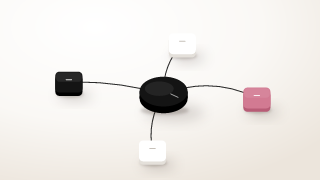
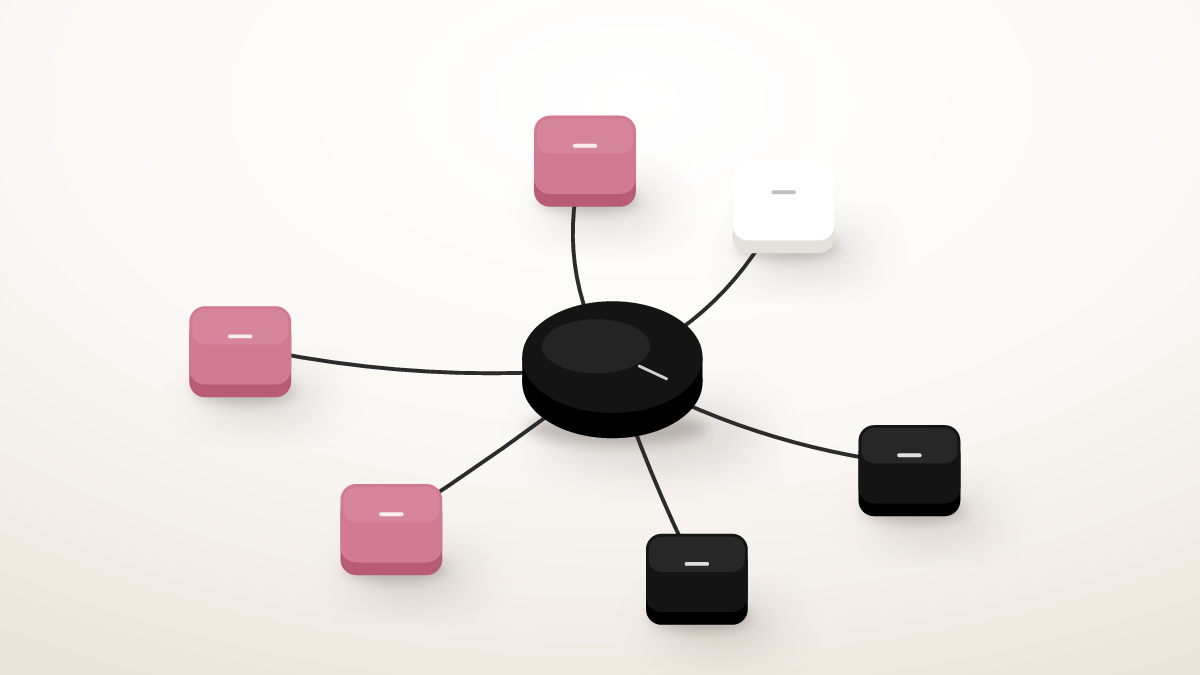
The pattern that actually works has three parts, and the model is only one of them.
Storage is the system of record. Notes, transcripts, decisions, and source material live somewhere durable, with structure you control. Notion is a common choice because it doubles as a database and has a mature API, and you can wire it to an agent through the Notion MCP server so the model can read and write pages as tool calls rather than copy pasted blobs. If your workflow is more code adjacent, the GitHub MCP server plays the same role for repos, issues, and markdown docs.
Retrieval is the layer that answers "which slice of the store matters for this question." Instead of loading everything, you pull the dozen notes that match the current task and hand only those to the model. This is what makes the system cheap and accurate at the same time. The 1 million token window becomes headroom for genuinely big jobs, like synthesizing a full quarter of research, rather than a tax you pay on every query.
The agent is the loop that ties it together. It takes your question, decides what to retrieve, reasons over the result with K3, and writes the output back into the store as a new note or an update to an existing one. That write back step is what turns a search tool into a second brain. Synthesis gets saved, decisions get logged, and the next session starts richer than the last one.
The model reasons. The store persists. The agent moves information between them. Keep those roles straight and the architecture almost designs itself.
The Build, Step by Step
This is a working sketch, not a product. Each step is small enough to finish in an evening.
Capture notes into a store
Pick one home for everything. If you choose Notion, create a single database for raw notes with a few properties you will actually maintain: type, source, date, and topic. The Notion tooling available on yalc.ai covers the integration surface if you want to see what the API and MCP paths expose before committing.
Set one capture rule and follow it: everything lands in the store first, unprocessed. Meeting notes, clipped articles, voice memo transcripts, your own thinking. Do not summarize on the way in. Raw material in, synthesis out. That separation is what keeps the corpus trustworthy.
Retrieve the relevant slice
When you ask a question, fetch only what matches. At the simple end this is a keyword or tag filter against the database. As the corpus grows, add embeddings and rank by similarity, but do not start there. A boring filter over well tagged notes beats a fancy vector search over a junk drawer.
Give the retrieval step a budget. Ten to thirty relevant notes is usually the right working set for a single question. That is a few thousand tokens of focused context instead of a million tokens of noise, and the answers get noticeably sharper.
Let Kimi K3 reason over it
Now hand the retrieved slice to K3 with a clear task. The long horizon reasoning the Kimi K3 tech blog describes is what you are buying here: compare these six customer interviews and extract the objections that repeat, or read these strategy notes and flag where my current plan contradicts them.
Reserve the giant context for jobs that genuinely need it. Loading an entire year of notes to produce an annual review is a legitimate use of the full window, and it is the moment where K3's capacity stops being a spec sheet number and starts being the reason the task is possible at all.
Write the results back
Every reasoning run should end by writing its output to the store: the synthesis as a new note, the decision appended to the project page, the open questions added to a running list. This is the step everyone skips and the step that matters most, because it is the only place memory actually gets created.
If you run the loop inside an agent harness, this step is a tool call, not a copy paste. The same harness pattern used for running Claude Code on marketing workflows applies here: the model plans, calls tools, and the harness persists the results.
Review the loop weekly
Once a week, ask the agent to review what it wrote back and surface contradictions, stale notes, and unanswered questions. This is maintenance, and it is unglamorous, but a second brain that never gets pruned turns into a second junk drawer within a quarter.
Cost and Privacy Notes
The cost story is better than the "pay for the whole corpus every time" framing suggests, within a session. At 0.30 dollars per million cached input tokens, repeated queries over the same loaded corpus can hit the cheaper cached rate, per eesel AI's pricing breakdown. So an afternoon of iterative questions against one loaded research corpus is far cheaper than the raw input price implies. The same consolidation logic, applied to your whole stack, is in how many GTM tools Kimi K3 can replace.
The caveat stands, though. Caching is a within session discount, not memory. Tomorrow's session reloads the corpus at full input cost before the cache can help. This is the economic version of the architecture argument: retrieval first, full corpus only when the task justifies it.
On privacy, the interesting development is the weights. K3's open weights are slated to publish by 2026 July 27 under a Modified MIT license, according to the Kimi K3 status page. For a second brain full of personal notes, deal context, and internal strategy, self hosting the reasoning layer is a real option, subject to serious hardware. Be honest with yourself about that last part. Running the largest open source model at launch is not a laptop job, and the hosted API with sensible data hygiene is the pragmatic choice for most people.
Where This Goes Next for Operators
If the pattern above felt familiar, it should. Storage, retrieval, reasoning, write back is not specific to note taking. It is the general shape of an agent that does knowledge work, and the moment your second brain starts writing back reliably, the obvious next question is what else could run on the same loop.
For go to market teams, the answer is most of the repetitive middle of the funnel. Research an account against your CRM history, draft the outreach, log the outcome, and update the record. Same loop, different store. This is exactly where Yalc fits: it is an agentic GTM operating system that runs autonomous, conversational GTM agents on top of your existing stack, treating the underlying model as swappable while the operator keeps final judgment. If the build in this article appealed to you but your corpus is pipeline rather than notes, building your own GTM agent walks through the operator side of the same architecture, and the lead qualification skill shows what one well scoped agent task looks like in practice. The surrounding pieces, sequencer, data providers, call recorder, map onto an AI native outbound stack the same way Notion and GitHub map onto your notes. For the full collection of Kimi K3 guides, from setup to outbound automation to cost math, see the Kimi K3 complete guide.
The tradeoff to name plainly: agents that write back need supervision early. You will want to review writes before you trust the loop, the same way you reviewed your second brain's first syntheses. Autonomy is earned per workflow, not granted on day one.
Frequently asked questions
Can Kimi K3 be used as a second brain?
Yes, as the reasoning layer of one. Its 1 million token context and long horizon reasoning make it strong at reading a large corpus and synthesizing across it. But the model alone is not a second brain, because it has no persistent memory between sessions.
Does the 1 million token context mean Kimi K3 remembers everything?
No. The context window is working space that resets every session. Anything not written to external storage is gone when the session ends, and reloading the same material costs input tokens again each time.
How do you give Kimi K3 persistent memory?
Add a store and a retrieval step. Keep notes in a durable system like Notion, connect it through an MCP server so the agent can read and write, retrieve the relevant slice for each question, and write the model's outputs back so future sessions build on past work.
What do you need besides Kimi K3 to build a second brain?
Three things: a storage layer you control, a retrieval method that selects the relevant notes for each query, and an agent loop that lets K3 reason over that slice and persist the results. The model handles reasoning, while everything else handles memory.
Is Kimi K3 good for knowledge management?
It is well suited to the reasoning side of knowledge management: synthesis, contradiction spotting, and long document analysis, with native vision for documents and images. It does not handle the management side by itself, so pair it with structured storage and a write back habit for the full system to work.